Turn every quotation into a managed sales process.
Quotation MIS brings quotation creation, customer information, follow-ups, tracking, status visibility and management reporting into one focused business application.
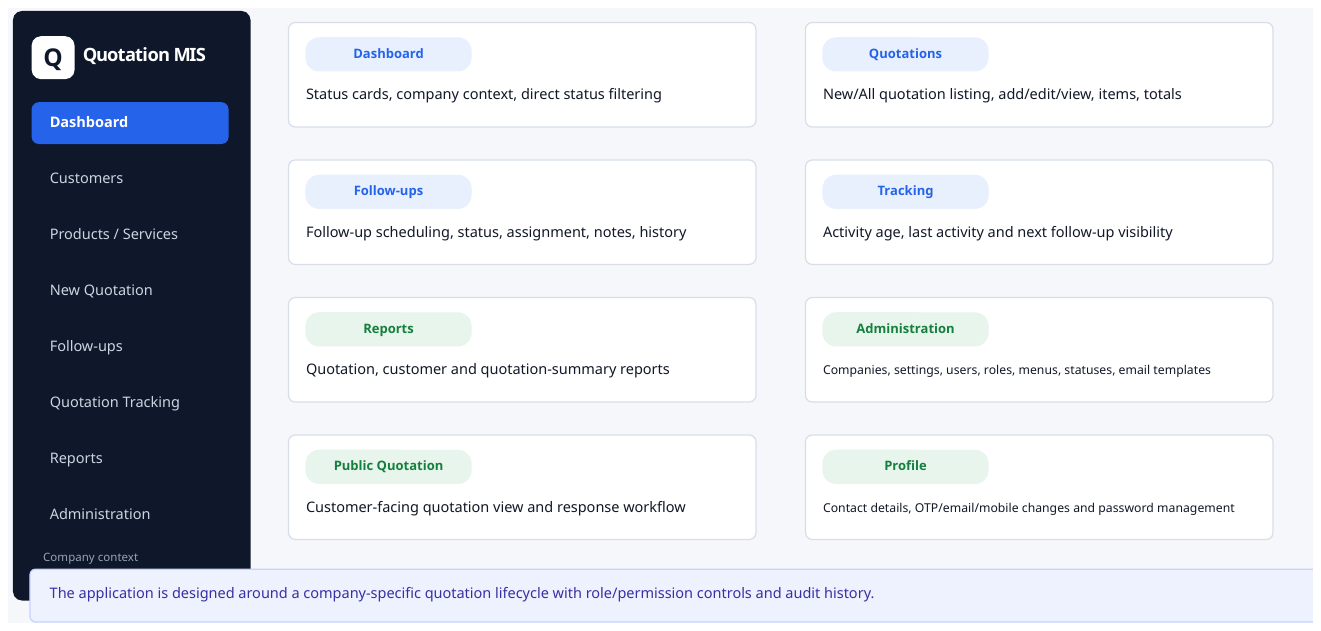
Quotations are easy to create. Losing track of them is expensive.
Teams often rely on spreadsheets, email threads and personal reminders. Quotation MIS gives the process a clear operational home.
Know what is open
See quotation status and the customer context without stitching information together from different places.
Never lose the next action
Record follow-ups, methods, results, notes, priorities and the next follow-up date in a controlled workflow.
Give management a live view
Use dashboard counts, tracking and reports to understand the quotation pipeline and where attention is required.
Focused on the quotation lifecycle
A single product designed around the day-to-day work of teams that create, send, follow up and close quotations.
Quotation management
Create and manage quotations with customers, locations, items/services, validity and quotation statuses.
Follow-up management
Capture follow-up date, method, result, notes, priority, assignee and next action with status-aware workflow.
Quotation tracking
Monitor quotation activity and follow-up movement so sales teams can act before opportunities go cold.
Reports & summaries
Use quotation reports, customer reports and quotation summaries for operational and management review.
Users & roles
Control access through users, roles, permissions, menus and company-level administration.
Email & customer response
Manage email templates and support a customer-facing public quotation experience.
See the workflow, not just the promise.
Real application screens can be used during sales demonstrations to show how the workflow looks in practice.
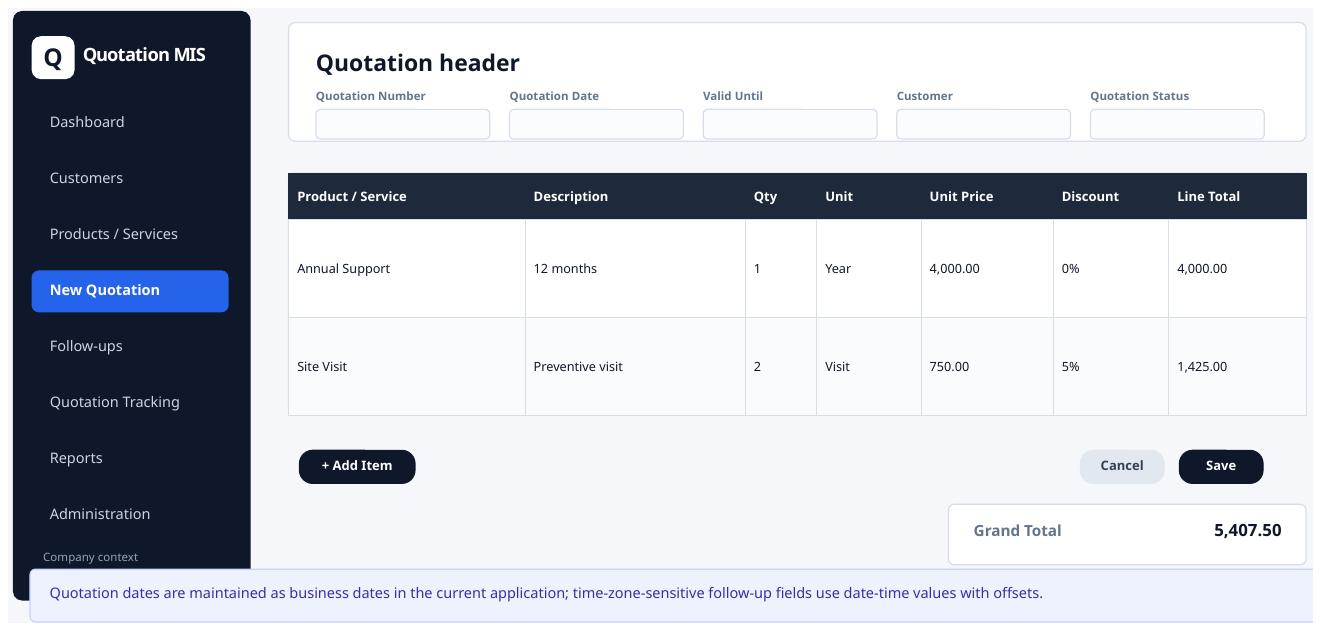
New / All Quotations
Create, search, filter and manage the quotation register from one place.
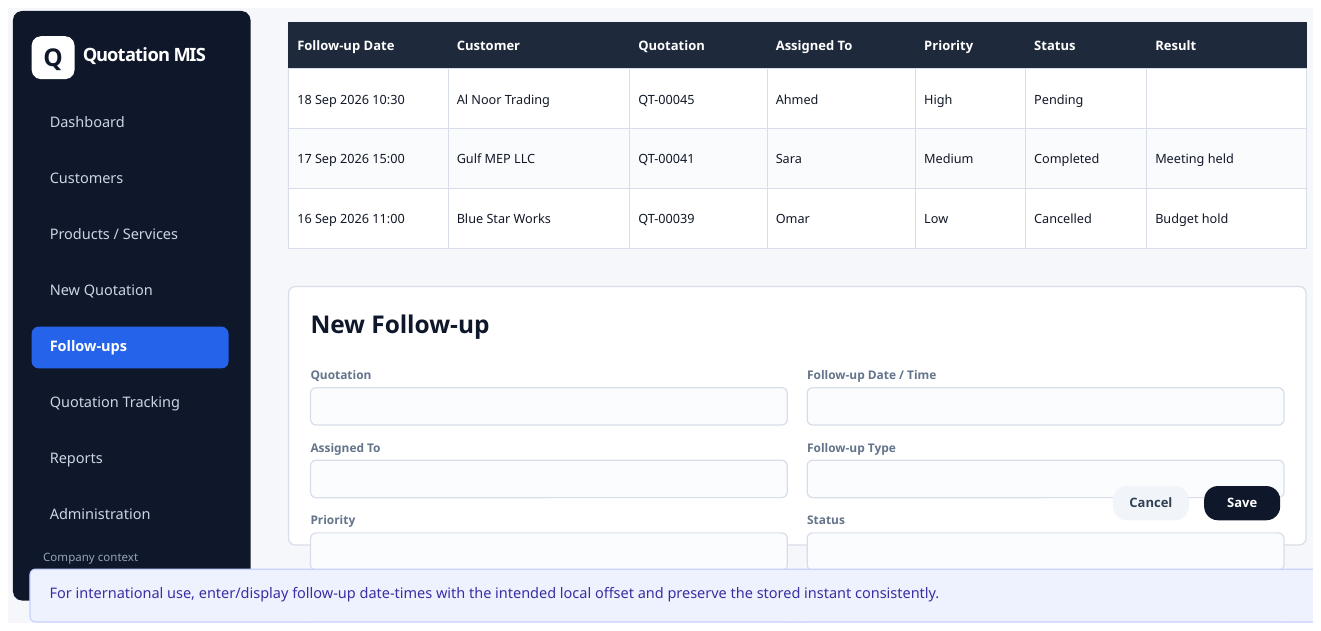
Follow-ups
Keep ownership, priority, dates, results and next actions visible.
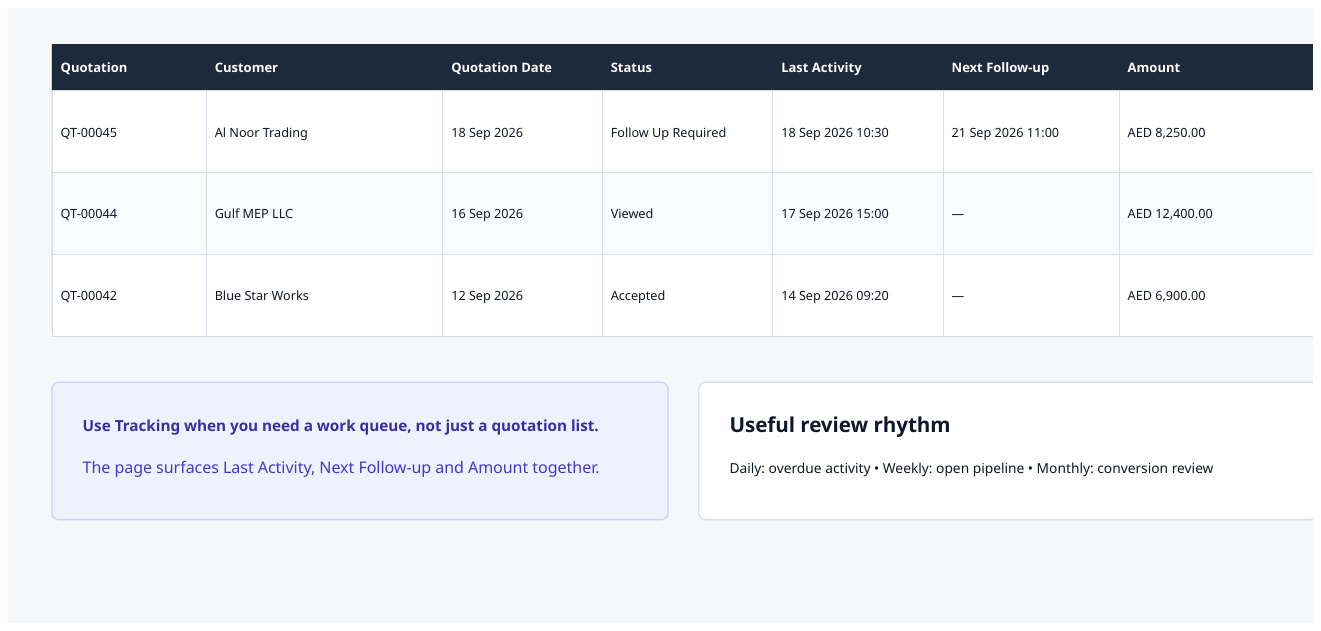
Quotation Tracking
Follow the movement of quotations and identify records that need attention.
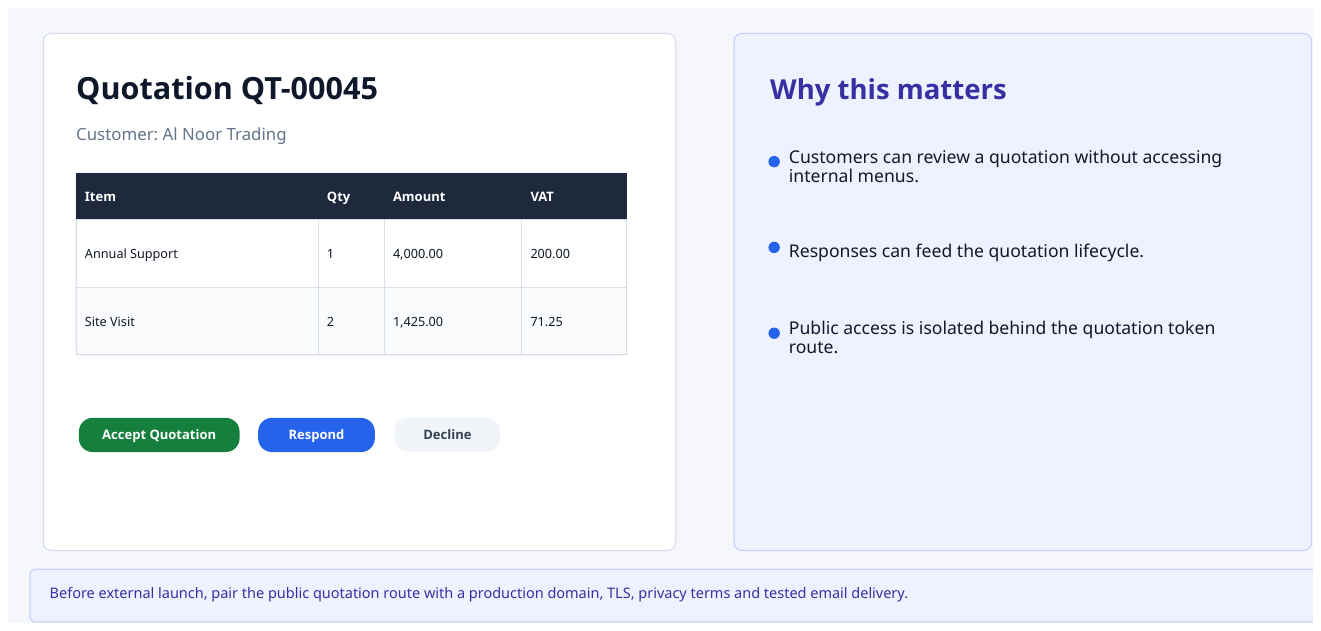
Customer-facing quotation
Give customers a clean way to view and respond to quotations online.
Start with a live Quotation MIS demo.
Walk through a real quotation, follow-up sequence and management dashboard using the workflow your team already understands.